Step-by-Step: Creating Your First Cinematic Trailer with Veo3
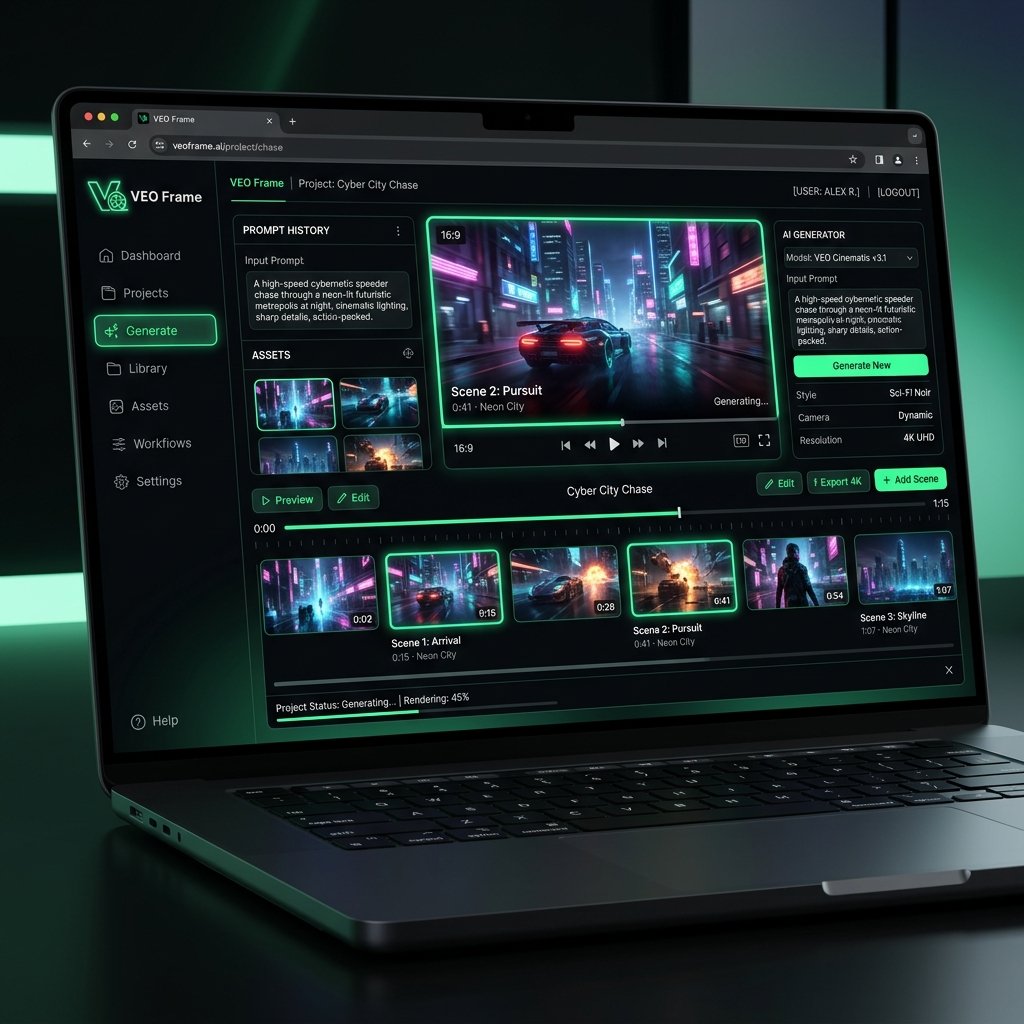
Ready to bring your stories to life? Chaining prompts together inside the Veo3 AI video generator is the easiest way to script and render a fully realized cinematic trailer. In this guide, we will walk you through a three-step pipeline to build a teaser for a sci-fi epic.
Step 1: The establishing shot
Start with a wide, descriptive environment prompt. "Wide cinematic shot, sprawling cyberpunk metropolis under a neon rainstorm, hovering transit pods, volumetric light beams, Veo3 engine." This sets the mood and initializes the environment style.
Step 2: The character introduction
Next, bring in your protagonist. Ensure you carry over the style descriptors from the first prompt. "Medium close-up, female cybernetic hacker in a glowing leather jacket looking up at neon billboards, wet reflections, ultra-realistic skin texture, Veo3."
Step 3: The climax and action
Finish with dynamic motion. "Fast tracking shot, cybernetic hacker running through dark alleys, neon sparks flying, high action motion vectors, cinematic depth of field." By assembling these three clips, you create a cohesive story with zero video editing experience.